
It Takes Two Xbox Guide: Co-Op, Cross-Play, and More
Play It Takes Two on Xbox One or Xbox Series X|S with local or online co-op. Team up as Cody and May as their familiar surroundings become huge obstacles.
Jump to

Can You Play It Takes Two on Xbox?
Grab a partner: It Takes Two Xbox turns household clutter into a sprawling adventure built entirely around teamwork. You can play on Xbox One or Xbox Series X|S, sharing a screen locally or joining each other online. Getting your It Takes Two Xbox setup right matters because the game requires exactly two players, and Friend’s Pass lets an owner bring an online partner along without a second full-game purchase.
You play as Cody and May, parents whose strained relationship takes a magical turn when they become dolls. Their familiar surroundings become enormous obstacle courses, with a talking relationship book named Dr. Hakim pushing them to cooperate.
The Xbox version supports these ways to play:
| Xbox platform or service | Supported access and features |
|---|---|
| Xbox One | Local two-player co-op, online co-op, and Xbox cross-generation multiplayer |
| Xbox Series X|S | Local and online co-op, Series X|S optimization, and Smart Delivery |
| Xbox Cloud Gaming | Cloud play included with Xbox Game Pass Ultimate |
Across the Xbox release, features include achievements, cloud saves, spatial sound, and split-screen presentation. The game also supports 4K Ultra HD and 60 fps+ capabilities, though those feature labels should not be read as identical performance across every Xbox console.
There is no single-player campaign. Each person controls one character, and both characters have jobs the other cannot simply take over. Before buying, decide who will join you and whether you will share a console or connect remotely.
You can buy It Takes Two for Xbox to get the full game.
Local Co-Op: Share a Screen and Coordinate Your Moves
For couch play, It Takes Two Xbox brings both players into the same adventure through local split-screen. You need two players controlling Cody and May on the same console.
 Image: Steam / Hazelight Studios
The split-screen view serves a practical purpose: your partner’s actions often explain what you need to do next. When one person manipulates a mechanism, the other might need to jump through the opening it creates. Watching both perspectives helps you connect the puzzle pieces.
| Co-op format | Player arrangement | How you follow the action |
|---|---|---|
| Local co-op | Two players on one Xbox console | Both perspectives appear on the shared display |
| Online co-op | Two players connected remotely | Split-screen still shows both characters’ perspectives |
The game keeps that shared perspective online, too. Choosing online play does not remove the split-screen presentation.
For your It Takes Two Xbox couch session, talk through what each character can interact with before attempting a tricky sequence. “I can move this platform” tells your partner more than repeatedly asking them to jump.
Use these habits when learning a new section:
- Describe your tool. Explain what your character can do with the ability you just received.
- Watch your partner’s screen. Check what changes when you activate something.
- Count down for coordinated actions. Agree on when to move instead of guessing.
- Explore interactive objects together. The environments include playful distractions alongside the main puzzles.
Cody and May’s abilities change throughout the adventure, so neither player gets to settle into one permanent role. Someone handling a ranged tool in one section might manipulate time in another.
That variety makes communication more useful than simply assigning one person to lead. Keep reassessing what each character contributes whenever the game introduces a new mechanic.
Friend’s Pass: Play Online Without Buying Two Copies
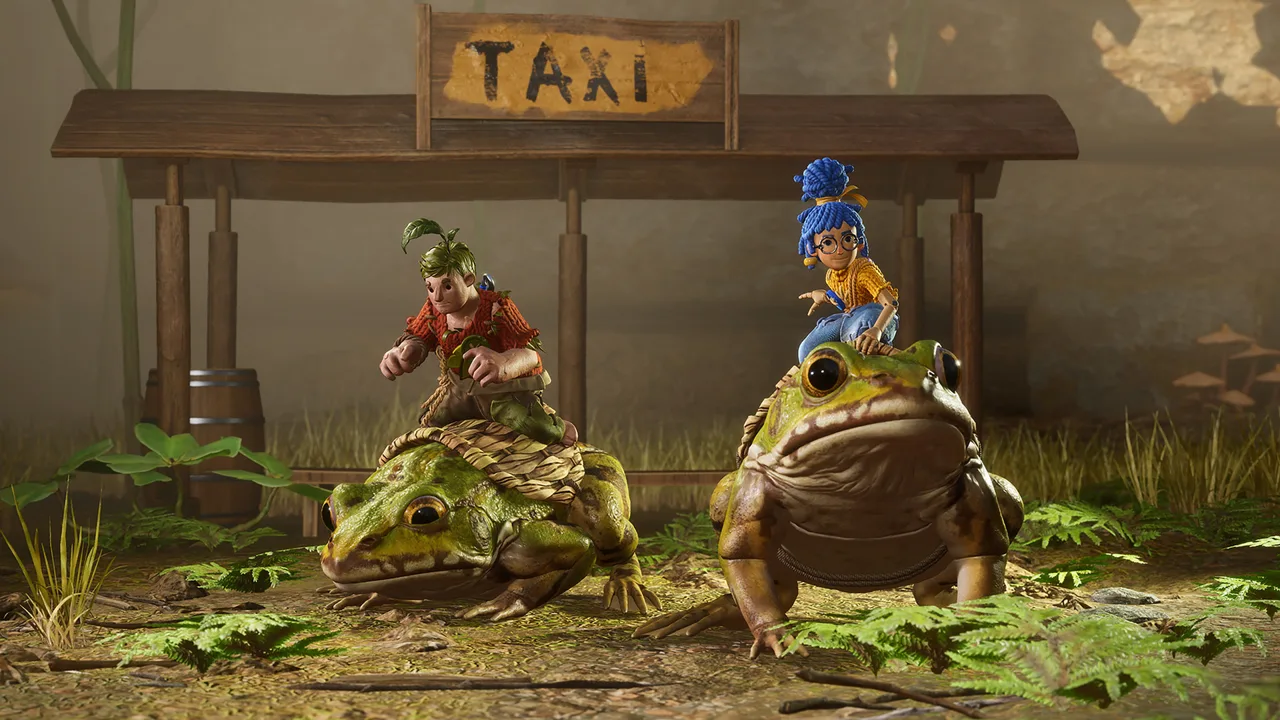 Image: Steam / Hazelight Studios
Friend’s Pass is the key purchase-saving feature for It Takes Two Xbox. One person owns the full game, while the invited partner installs the free Friend’s Pass to join the adventure online.
The pass gives your partner a way into your co-op session; it does not give them an independently owned copy of the full game. Access to the complete adventure through this arrangement depends on playing with the full-game owner.
To prepare an Xbox-to-Xbox session:
- Have the host own the full Xbox game.
- Have the other player install It Takes Two Friend’s Pass.
- Make sure both players have the applicable platform accounts and console online multiplayer access.
- Use the game’s online invitation system to connect and play together.
Friend’s Pass covers the second game purchase, while Xbox’s online multiplayer requirements are separate. Keep those two requirements distinct when figuring out what each player needs.
For local co-op, both people play through the game on the same console. Friend’s Pass is useful when your partner joins remotely rather than sitting beside you.
Before an online session, agree on who will use the full game and who will use the pass. That keeps your preparation focused and avoids an unnecessary second purchase.
The appeal goes beyond cost. Because the campaign requires cooperation throughout, you can invite someone specifically for this adventure rather than asking them to buy a game before discovering whether they enjoy its style.
Cross-Play, Xbox Generations, and Game Pass Access
 Image: Steam / Hazelight Studios
It Takes Two Xbox supports online cross-play following the October 15, 2026 update. Xbox One and Xbox Series X|S players can connect with players on the other supported platforms below.
Update the game to the latest version before arranging a cross-platform session. The cross-play update expands your choice of partners beyond the Xbox console family.
| Your platform | Supported online partner platforms after the update |
|---|---|
| Xbox One | Xbox Series X|S, PC, PS5, PS4, and Nintendo Switch 2 |
| Xbox Series X|S | Xbox One, PC, PS5, PS4, and Nintendo Switch 2 |
Nintendo Switch 2 is included in that cross-play support. The original Nintendo Switch is a separate version and is outside this supported cross-play group.
Xbox-to-Xbox play also supports different console generations. You and your partner do not need matching Xbox hardware: someone using Xbox One can team up with someone using an Xbox Series X|S.
Cross-play addresses who can connect. Friend’s Pass addresses access for an invited player. Keep both players’ game versions current when preparing to play across different systems, and use the game’s online options to arrange the session.
What Subscription Do You Need?
Online multiplayer on Xbox consoles requires Xbox Game Pass Essential, Premium, or Ultimate. This requirement applies separately from purchasing the game.
Xbox Game Pass Ultimate also includes cloud-play access to It Takes Two. The game is part of the EA Play catalog as well.
Choose your access route before making a purchase:
- Buying the game: You receive the full-game ownership needed to host a Friend’s Pass partner.
- Joining through Friend’s Pass: You can accompany a full-game owner without buying another full copy.
- Playing through Xbox Cloud Gaming: Use the cloud access included with Xbox Game Pass Ultimate.
- Playing online on an Xbox console: Have the required console multiplayer subscription.
Avoid buying a subscription solely on the assumption that every Game Pass tier includes the full game. The console multiplayer requirement and the game-access requirement are different parts of your setup.
Gameplay Tips: Make Both Characters’ Abilities Count
Once your It Takes Two Xbox session is running, the central challenge is understanding how two different toolsets fit together.
Cody and May share platforming basics such as jumping, double jumping, and air dashing. Their special abilities create the puzzles, and those abilities frequently change with the setting.
| Mechanic | Cody’s role | May’s role | How the abilities connect |
|---|---|---|---|
| Nails and hammer | Throws nails to create usable points | Uses her hammer to swing between them | Cody helps construct May’s route |
| Time and clones | Manipulates time and reverses objects | Creates a clone and swaps positions | Each player handles a different part of timed obstacles |
| Gardening | Transforms into plants | Waters suitable soil | Their abilities create ways through the environment |
Treat each new ability as both a traversal tool and a possible combat tool. The game reuses the purpose of an ability within its section: something that helps solve a mechanism can also matter during a boss encounter.
May’s clone, for example, lets her switch positions during puzzles. It also allows her to draw a charging bull toward an obstacle before teleporting away. The same movement concept solves two very different problems.
Communicate the Action You Need
Make requests specific. Ask your partner to hold a mechanism, prepare a route, or wait for your signal.
With different abilities on each side of the screen, your partner may be working with information you cannot immediately see. Describe the result you need, then let them explain how their tool can produce it.
When a puzzle stalls, look for a connection between the abilities before repeating the same movement. A gap might require your partner to create a path; a timed obstacle might require coordination rather than a faster jump.
Experiment Without Rushing
Generous checkpoints and unlimited lives encourage experimentation. Try the unfamiliar interaction, test what an object does, and learn from the result.
The world contains plenty of objects that exist simply to be entertaining. Leave room for those diversions instead of moving straight past every toy, contraption, or strange discovery.
Optional minigames also give you opportunities to compete with your partner between cooperative challenges. They add a different rhythm to an adventure otherwise built around helping each other.
Consider the Story Before Playing With Younger Kids?
The colorful environments accompany a story about divorce, parental conflict, and reconciliation. It Takes Two carries a Teen rating, with fantasy violence, comic mischief, language, and animated blood.
Consider those themes when choosing a family co-op game. The action can be playful and the settings imaginative, while Cody and May’s arguments remain central to the story.
For an It Takes Two Xbox playthrough, choose a partner willing to communicate, experiment, and laugh at a failed attempt. The adventure continually gives both players something meaningful to do, from combining weapons to turning relationship metaphors into physical puzzles.
FAQ
Can you play It Takes Two Xbox alone?
No. The campaign requires exactly two players, either locally through split-screen or together online. There is no single-player option.
Do both Xbox players need to buy It Takes Two?
No. The host can own the full game while the other player installs the free Friend’s Pass to join online. Xbox console online multiplayer access is a separate requirement.
Can Xbox players join friends on PlayStation or PC?
Yes. Following the October 15, 2026 update, Xbox One and Xbox Series X|S support online cross-play with PC, PS5, PS4, and Nintendo Switch 2. Update the game before connecting.
Does It Takes Two support Xbox One and Series X|S co-op?
Yes. Xbox cross-generation multiplayer supports online sessions between Xbox One and Xbox Series X|S. Both console generations also support local two-player co-op.
Continue with
 It Takes Two Mac: How to Play With Friends in 2026Play It Takes Two mac with cloud gaming or CrossOver. Compare options, Steam requirements, Friend's Pass, and cross-play before you team up with a friend.
More in Platforms
It Takes Two PS4: Co-Op Setup, Friend’s Pass & More
Play It Takes Two PS4 with a partner using couch co-op or Friend’s Pass. Learn controller setup, online requirements, and latest cross-play compatibility.
It Takes Two PS5: Co-Op, Friend's Pass and Crossplay
Play It Takes Two PS5 with couch co-op, Friend's Pass, and updated crossplay. Learn what you need, how online play works, and how to team up with a friend.
It Takes Two Switch 2: Free Upgrade and Cross-Play Guide
Play It Takes Two Switch 2 with a free upgrade for eligible owners, cross-play, and Friend’s Pass. Learn the price, regional rules, and co-op setup today.
It Takes Two Switch Guide: Co-Op, Cross-Play & Setup
Explore It Takes Two Switch co-op, controller requirements, Friend's Pass, and Switch 2 upgrades. Get ready to team up locally or play online with friends.
Join the community
Official channels for news, updates and player help: