
It Takes Two Online Co Op: Friend's Pass & Crossplay
Set up It Takes Two online co op with Friend's Pass, learn which platforms support crossplay, and fix Steam invites so you can start playing together.
Jump to
Can You Play It Takes Two Online Co Op?
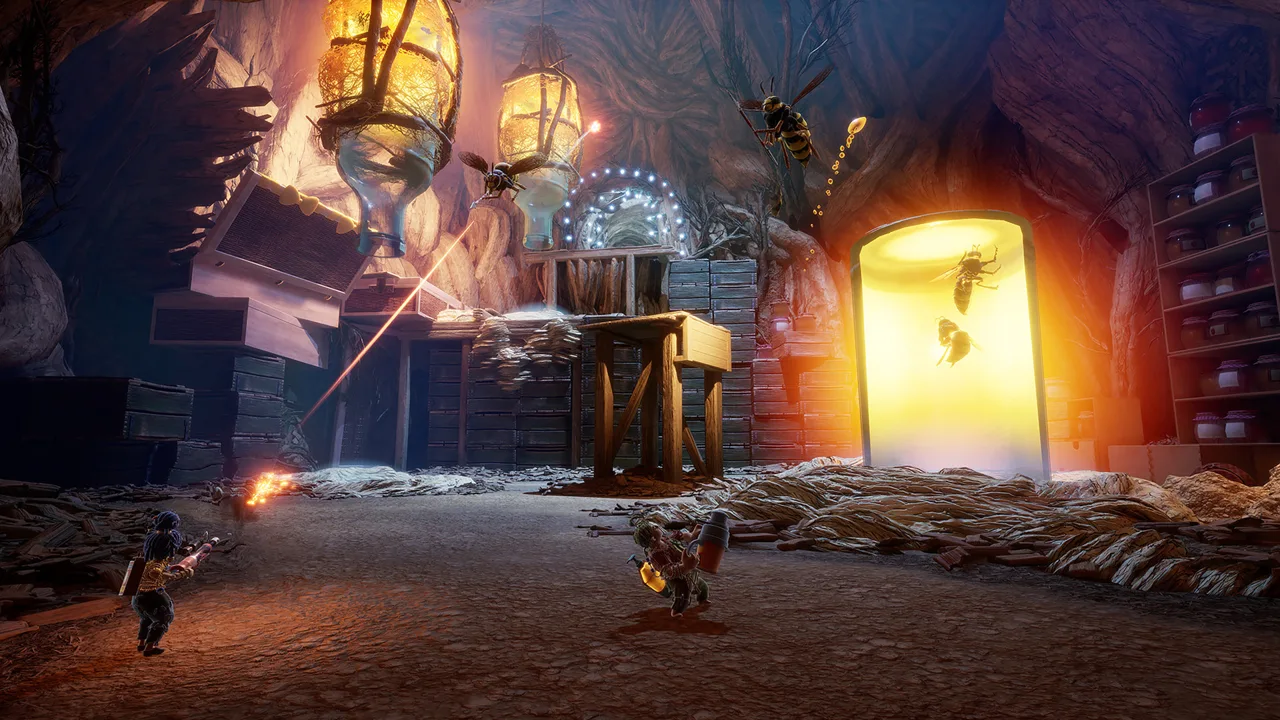
It Takes Two online co op lets you tackle the entire adventure with a partner without sharing a couch. Only one player needs to own the full game when the other joins through Friend’s Pass, making the setup easier on your budget. It Takes Two online co op also supports crossplay across PC and several console platforms following the October 15, 2026 update.
You each control one half of the central duo: Cody and May, a married couple transformed into dolls. Getting back to normal means navigating oversized household environments, solving puzzles, and combining abilities that change throughout the adventure.
This is a game built for exactly two players. There is no solo campaign, and bringing a partner means actively working together through platforming, action sequences, and environmental challenges.
| Feature | How it works |
|---|---|
| Online campaign | Two players control Cody and May from separate systems |
| Friend’s Pass | One full-game owner can invite a friend who downloads the free pass |
| Local co-op | Two players share a system through split-screen play |
| Online presentation | Split-screen lets you see your partner’s actions |
| Solo play | No single-player option |
| Competitive diversions | Optional minigames let you compete against your partner |
That shared view matters. Even online, you can look at your partner’s half of the screen to understand what they are doing, spot a useful platform, or coordinate the next move. Keep both halves in view when a puzzle stops making sense.
Crossplay Platforms and Online Requirements
Crossplay for It Takes Two online co op arrived on October 15, 2026. Crossplay now connects the following platforms after updating the game:
| Platform | Included in the October 2026 crossplay update |
|---|---|
| Windows PC | Yes |
| PlayStation 4 | Yes |
| PlayStation 5 | Yes |
| Xbox One | Yes |
| Xbox Series X|S | Yes |
| Nintendo Switch 2 | Yes |
| Original Nintendo Switch | Outside this update’s crossplay platform group |
The original Nintendo Switch has its own version of the game and supports online play through Friend’s Pass. Keep that version separate from Nintendo Switch 2 when arranging a session: the new crossplay platform group specifically includes Switch 2.
Update both installations before attempting a cross-platform session. The update is what removes the older platform barrier; simply having the game installed does not replace that step.
For It Takes Two online co op, also check these requirements before sending invitations:
- Game access: One player needs the full game for the pair to play the full campaign through Friend’s Pass.
- Guest installation: The invited player needs the appropriate Friend’s Pass download.
- Platform accounts: Friend’s Pass requires the applicable platform account.
- Console online access: Both console players need their respective online memberships.
- Steam account linking: Native online play on Steam requires an EA account linked to the Steam account.
- Internet connection: Online play requires connectivity; the PC requirements specify broadband internet.
Friend’s Pass removes the need for a second game purchase. It does not replace console online memberships or give the guest an independent copy of the full game.
If your pair is choosing a platform before buying, settle that decision together. Check which system each person will use, update both games, and download the matching guest version before setting aside an evening for the campaign.
How to Set Up Friend’s Pass
Friend’s Pass is the straightforward route when one person owns the game and the other does not. The owner hosts, the guest accepts an invitation, and both enter the adventure together.
You can find the full game through the It Takes Two official website or open the It Takes Two Steam page for the PC version.
| Step | Full-game owner | Friend’s Pass player |
|---|---|---|
| Install | Install the full game and its latest update | Download and install Friend’s Pass |
| Launch | Start the game | Start Friend’s Pass |
| Open online play | Select Play Online | Keep the game open for the invitation |
| Invite | Choose Invite a Friend and send the invitation | Accept the incoming invitation |
| Begin | Select the level once both players reach the lobby | Join the owner for the selected level |
The guest does not need to buy the full game to complete the campaign alongside the owner. That is the main appeal of It Takes Two online co op: one purchase can cover the shared adventure.
However, the pass is an invitation-based way to join a full-game owner. It does not let the guest become a full-game host and invite another non-owner.
On Steam, use the current It Takes Two Friend’s Pass download if you want invitations through the Steam friends list without the EA App launcher. An older Friend’s Pass installation uses a different invitation route, which can make an otherwise simple setup confusing.
Before starting, agree on who will host and which character each person wants to control. Cody and May receive different tools, so each role has its own responsibilities. Neither player can handle every obstacle alone.
Keep the game running while waiting for an EA invitation. Those invitations are visible only while It Takes Two is open, so watching the desktop alone can leave you waiting for a message you cannot see.
Steam Invites, EA Accounts, and Remote Play Together
Steam players have several ways to connect, and choosing the right one helps resolve common It Takes Two online co op setup problems.
 Image: Steam / Hazelight Studios
The May 2024 Steam update removed the requirement to launch the EA App for the Steam version. It also added direct invitations through Steam friends and made the game Steam Deck Verified.
An EA account is still required for native online play through EA servers. Selecting Play Online prompts you to link one if your Steam account is not already linked.
| Your setup | Invitation or connection method | Account or installation detail |
|---|---|---|
| Steam players using the current versions | Invite directly through Steam friends | An EA friends-list connection is unnecessary |
| Steam owner inviting an EA App player | Select EA Friends List in-game | Add the friend’s EA account and send an EA invitation |
| Guest using the older EA App Friend’s Pass | Use in-game EA invitations | The older pass continues through the EA App |
| Guest using the current Steam Friend’s Pass | Use Steam friends invitations | Install the current pass for Steam invitation support |
| Steam Remote Play Together | Share the local co-op session remotely | An EA account is unnecessary for this mode |
If Steam invitations are not working
Check which Friend’s Pass the guest installed. The older EA App version does not gain Steam friends-list invitation support simply because the owner launches through Steam.
Install the current Steam Friend’s Pass for direct Steam invitations, or use the EA invitation route with the older installation.
If your partner owns the game through the EA App, choose EA Friends List inside the game. Add their EA account there and send the invitation through that interface. Have your partner launch the game before expecting to see it.
Friend’s Pass versus Remote Play Together
These are separate ways to play remotely. Friend’s Pass lets the guest install a version of the game and join an online session. Steam Remote Play Together shares the local co-op experience over a remote connection.
Choose the method before troubleshooting accounts. Native Steam online play requires EA account linking; local play and Steam Remote Play Together do not.
How to Coordinate Once You Are Playing
Getting connected handles the practical side of It Takes Two online co op. The campaign then asks you to communicate, experiment, and keep adjusting as your abilities change.
Early on, Cody uses nails while May carries a hammer head. These tools work together during traversal and puzzles, establishing the pattern that drives the rest of the adventure: understand your own ability, then work out how it connects with your partner’s.
Explain what your tool can do
When a chapter gives you something new, describe it to your partner before rushing ahead. Test the ability on nearby objects and watch the result together.
Give specific directions tied to what you can both see. Say “look at the wooden platform” rather than “over there.” Use your partner’s screen to identify the object before asking them to interact with it.
Coordinate timing out loud
Some challenges combine movement with another player’s action. Agree on when to act instead of making separate attempts and hoping they line up.
Count down before a coordinated move. If the attempt fails, discuss whether the problem was timing, positioning, or a misunderstood ability before trying again.
The game includes frequent checkpoints and a generous respawn system. Use that room to experiment with a possible solution instead of waiting until you feel certain.
Let each puzzle develop
Mechanics build in complexity within a chapter. An ability introduced through a simple task can later become part of a more involved puzzle or action sequence.
When you get stuck, revisit what the chapter has already taught you. Check which tool has not been used, what your partner can reach, and whether a familiar interaction works in the new situation.
Explore between major challenges
The environments contain optional activities, details, and competitive minigames. Take time to investigate unusual objects and side spaces together.
Those diversions change the pace of It Takes Two online co op without pulling you away from your partner. After cooperating through a difficult section, a quick competition gives you something else to laugh about.
For a less experienced partner, practice movement together before pushing through a demanding sequence. Keep instructions short, leave time to look around, and focus on solving the current obstacle as a pair.
FAQ
Do both players need to buy It Takes Two for online co op?
No. One player can own the full game while the other downloads Friend’s Pass and joins by invitation. The pair can play the full campaign together. The guest still needs the appropriate installation, account, and console online membership where applicable.
Does It Takes Two support crossplay?
Yes. Following the October 15, 2026 update, crossplay supports PC, PS4, PS5, Xbox One, Xbox Series X|S, and Nintendo Switch 2. Update the game before connecting across those platforms. The original Nintendo Switch is outside that update’s crossplay platform group.
Do Steam players still need the EA App?
The current Steam version does not require the EA App launcher. Native online play still requires a linked EA account. Guests wanting direct Steam invitations should install the current Steam Friend’s Pass; the older EA App pass continues using EA invitations.
Can you play online without split-screen?
It Takes Two uses split-screen during online play as well as local co-op. Each player can see both characters’ perspectives, which helps with coordinated movement and puzzles. Use that shared view to understand your partner’s position and abilities.
Continue with
 It Takes Two Can You Play Alone? Solo Play ExplainedIt Takes Two can you play alone? Explore solo play limits, two-controller challenges, Friend’s Pass, and ways to team up locally or online with a partner.
More in Coop
It Takes Two Cross Platform: Play With Friends in 2026
It Takes Two cross platform play connects PC, PlayStation, Xbox, and Switch 2. Learn how the update, Friend's Pass, and Steam invites work before you play.
It Takes Two Friend Pass: How to Play Together Free
Use the It Takes Two friend pass to play the full adventure with one copy. Learn setup, Steam invites, cross-play, and Switch options before you team up.
It Takes Two Local Co Op: Easy Split-Screen Setup Guide
Set up It Takes Two local co op with PC and PS5 controller steps, split-screen tips, and answers about Friend's Pass. Start playing together on one screen.
Join the community
Official channels for news, updates and player help: