
It Takes Two Cross Platform: Play With Friends in 2026
It Takes Two cross platform play connects PC, PlayStation, Xbox, and Switch 2. Learn how the update, Friend's Pass, and Steam invites work before you play.
Jump to
Is It Takes Two Cross Platform in 2026?
Your co-op partner can now bring a different console: It Takes Two cross platform play arrived on October 15, 2026. That means you can tackle Cody and May’s adventure together across PC, PlayStation, Xbox, and Nintendo Switch 2 without matching hardware. Update your game before organizing an It Takes Two cross platform session so you’re ready to connect.
The update supports online cross-play between these platforms:
| Platform | Included in the October 15 cross-play update |
|---|---|
| PC | Yes |
| PlayStation 5 | Yes |
| PlayStation 4 | Yes |
| Xbox Series X|S | Yes |
| Xbox One | Yes |
| Nintendo Switch 2 | Yes |
A PC player can team up with someone on PS5. Someone on Xbox One can join a friend on Xbox Series X|S, while players across PlayStation and Xbox can also connect. Nintendo Switch 2 joins that same supported group.
This matters because the whole adventure is built around cooperation. Cody and May have connected abilities, and moving forward means working through challenges together. Choosing compatible hardware used to be another consideration before starting; the October update gives you more freedom to use the supported systems you already own.
For Nintendo cross-play, choose Nintendo Switch 2. It Takes Two is also available on the original Nintendo Switch, but Switch 2 is the Nintendo platform included in the October 15 cross-play rollout.
The practical starting point for It Takes Two cross platform play is simple: check both players’ platforms, install the latest update, and decide who will provide access to the full game.
Cross-Play, Friend’s Pass, and Local Co-op Explained
Several features help you play together, but each solves a different problem. Cross-play connects supported platforms. Friend’s Pass lets a guest join a full-game owner. Local co-op puts both players on the same system.
Keep those distinctions clear when deciding what you need to download.
| Feature | What it does | What to arrange |
|---|---|---|
| Online cross-play | Connects players across the supported platform roster | Update both games |
| Friend’s Pass | Lets a guest join without buying another full copy | Someone owns the full game; the guest installs Friend’s Pass |
| Local co-op | Lets you share a system in split-screen | Choose couch co-op |
| Steam Remote Play Together | Lets a friend join a shared local session remotely | Use the Steam version’s Remote Play Together support |
The game remains an adventure for two. Its split-screen presentation supports the cooperative design, whether you’re sitting together or playing online. Each player controls one member of the couple, and the challenges revolve around their different tools and abilities.
It Takes Two cross platform support expands who can connect online; it doesn’t change that central partnership. You still need to communicate when your abilities interact, coordinate around obstacles, and pay attention to what your partner is doing.
Choose your play method before troubleshooting invitations. If you’re on the same couch, start with local co-op. If you’re on separate supported consoles or PCs, use online play. If you’re using Steam Remote Play Together, follow that route’s invitation process.
That distinction is especially useful on Steam, where online play and Remote Play Together have different EA account requirements.
How Friend’s Pass Fits Into Cross-Platform Play
You don’t both need to buy the full game. Someone must own It Takes Two for the pair to play the full adventure, while the other can join through Friend’s Pass.
The guest needs to install Friend’s Pass and have the applicable platform account. Downloading the pass is part of preparing to join; it doesn’t replace the requirement for a full-game owner when playing the complete adventure.
| Player | Required game access | Preparation |
|---|---|---|
| Full-game owner | Owns It Takes Two | Install and update the full game |
| Guest | Installs Friend’s Pass | Set up the applicable platform account |
| Both players | Use platforms included in cross-play | Install the latest game version before connecting |
For It Takes Two cross platform sessions, think of ownership and compatibility as separate checks. Friend’s Pass answers who needs to buy the adventure. The cross-play update answers which supported systems can connect.
For example, if you own the game on PC and your partner plays on PS5, that hardware pairing is included in the October update. Arrange the guest’s Friend’s Pass installation before settling in to play, rather than assuming both players need a separate purchase.
Use this preparation order:
- Agree on which player will own the full game.
- Check that both platforms appear in the cross-play roster.
- Install the full game and Friend’s Pass as appropriate.
- Update both installations.
- Prepare the accounts required for your chosen online route.
These are preparation checks, so there’s no need to hunt through unfamiliar settings before you’ve handled the downloads.
On Steam, pay particular attention to which Friend’s Pass version you install. A newer Steam version supports Steam friends-list invitations without requiring the EA App launcher. The older EA App version uses EA invitations instead.
Steam, EA App, and Steam Deck: Choose the Right Invite Route
PC players have another useful layer of flexibility: Steam and EA App players can play together. The invitation route depends on which version your partner is running.
 Image: Steam / Hazelight Studios
Steam also supports invitations directly through its friends list. You don’t need to add another Steam player to your EA friends list just to use that Steam invitation option.
| Your pairing or play method | Invitation route | Account or launcher detail |
|---|---|---|
| Steam player with another Steam player | Steam friends list | Online play still requires a linked EA account |
| Steam player with an EA App player | In-game EA Friends List | Add the partner’s EA account and send an EA invitation |
| Guest using the newer Steam Friend’s Pass | Steam friends-list invitations | EA App launcher isn’t required |
| Guest using the older EA App Friend’s Pass | In-game EA Friends List | The older pass continues through the EA App |
| Steam local play or Remote Play Together | Local session or Remote Play Together | An EA account isn’t required for these modes |
Inviting another Steam player
Use the Steam friends list to send the invitation. This works with the newer Steam Friend’s Pass, so have the guest install that version when you want to keep invitations inside Steam.
You can get the Steam Friend’s Pass without buying another full copy.
Steam’s launcher requirement and its online account requirement are separate. The EA App launcher is no longer required for the Steam version, but an EA account is still required for online play. Selecting Play Online prompts you to link an EA account if you haven’t already done so.
Inviting an EA App player
Choose EA Friends List inside the game. Add your partner’s EA account, then send the invitation through EA.
Have your partner keep It Takes Two running while you send it. EA invitations are visible while the game is open, so checking only outside the game can leave you looking in the wrong place.
If the guest’s older Friend’s Pass still opens the EA App, use that EA invitation route. To use Steam friends-list invitations instead, install the newer Steam Friend’s Pass.
Playing on Steam Deck
It Takes Two is Steam Deck Verified, and the Steam version supports Steam friends-list invitations. Apply the same account distinction there: online play requires a linked EA account, while local play and Steam Remote Play Together don’t.
For It Takes Two cross platform planning, separate these PC invitation details from the supported hardware roster. Steam-to-EA App play is a PC connection option; the October 2026 update also connects PC with the listed consoles.
Prepare Your Co-op Session Before You Start
Get the technical setup out of the way before choosing Cody or May. The game moves between very different cooperative challenges, and it’s easier to focus on those once both players have the right version and invitation route ready.
Before starting It Takes Two cross platform play, run through this checklist:
- Update both installations. The cross-play rollout requires the latest game version.
- Check the Nintendo edition. Choose Nintendo Switch 2 for the October cross-play roster.
- Assign the full-game owner. The guest can use Friend’s Pass.
- Match the PC invitation route to the installed version. Use Steam invitations for the newer Steam pass or EA invitations for the older EA App pass.
- Link an EA account for Steam online play. Removing the launcher requirement didn’t remove this requirement.
- Keep the game running for EA invitations. Send and receive them while It Takes Two is open.
Once you’re connected, communicate around each level’s paired abilities. Tell your partner what your character can do, then discuss how those actions fit together. The game repeatedly changes the tools you’re using, so revisit that conversation as the adventure introduces new challenges.
Use the split-screen view to follow both characters’ situations. When an obstacle needs coordinated actions, agree on the sequence before trying it together. Those habits follow directly from an adventure built around connected abilities and shared problem-solving.
If you’re still deciding where to buy, compare your available hardware against the supported roster before purchasing. You can explore the available editions through the It Takes Two official website or get the full game on Steam.
Choose the platform you want to use, arrange your partner’s access, and update before sending that invitation.
FAQ
Does It Takes Two cross platform play work between PC and PS5?
Yes. The October 15, 2026 update supports online cross-play between PC and PS5, alongside PS4, Xbox One, Xbox Series X|S, and Nintendo Switch 2. Update both players’ games before connecting.
Can PlayStation and Xbox players play It Takes Two together?
Yes. PS4 and PS5 players can play online with Xbox One and Xbox Series X|S players through the cross-play update. Both console families are included in the supported roster.
Do both players need to buy It Takes Two?
No. Someone must own the full game to play the complete adventure together. The other player can install Friend’s Pass and join as the guest, using the applicable platform account.
Do Steam players still need the EA App?
The Steam version no longer requires the EA App launcher. Online play still requires an EA account linked to Steam. The older EA App Friend’s Pass continues to use the launcher; install the newer Steam Friend’s Pass for Steam invitations without it.
Continue with
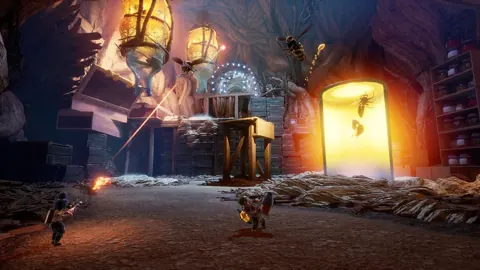 It Takes Two Friend Pass: How to Play Together FreeUse the It Takes Two friend pass to play the full adventure with one copy. Learn setup, Steam invites, cross-play, and Switch options before you team up.
More in Coop
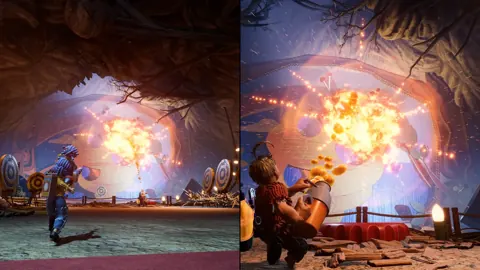
It Takes Two Can You Play Alone? Solo Play Explained
It Takes Two can you play alone? Explore solo play limits, two-controller challenges, Friend’s Pass, and ways to team up locally or online with a partner.
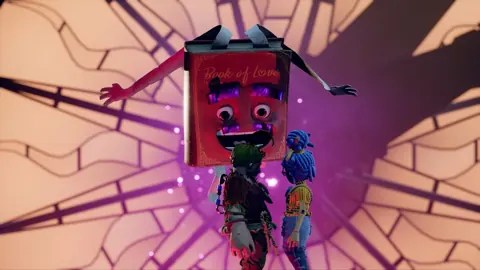
It Takes Two Local Co Op: Easy Split-Screen Setup Guide
Set up It Takes Two local co op with PC and PS5 controller steps, split-screen tips, and answers about Friend's Pass. Start playing together on one screen.
It Takes Two Online Co Op: Friend's Pass & Crossplay
Set up It Takes Two online co op with Friend's Pass, learn which platforms support crossplay, and fix Steam invites so you can start playing together.
Continue exploring
Join the community
Official channels for news, updates and player help: